Build Log 0: What is OpenMic?
Background
OpenMic actually started around 3 years ago when I was a senior in college, in an electronics design class. As a musician and an engineering student, I decided that I wanted to make an audio interface for the class’s open-ended design curriculum, not knowing just how complex everything was about to get. I probably should have made a guitar pedal or something. Suffice it to say, I did not get very far in 10 weeks, but I did learn a lot: mainly that I barely knew anything and audio is hard and confusing.
Two years later, graduated and working, I decided to get back into the project. I picked up Douglas Self’s “Small Signal Audio Design” and started learning more intently about audio electronics. I started reworking the design from the ground up, but then got busy at work/life and progress slowed. A few months ago, I found the time to jump back in with new energy and progress has accelerated exponentially. So now I’m sharing my progress here to keep myself on track, document everything, and let other people discover my work.
What is an audio interface?
At its core, an audio interface has two functions: convert analog audio (from a microphone, guitar, electric piano, etc.) into digital audio that a computer can use, and convert digital audio from a computer into analog audio (for speakers, headphones). There are many existing audio interfaces like the Focusrite Scarlett 2i2, Universal Audio Apollo Twin, or the Presonus Audiobox, among others.
Commonly, audio interfaces will sport a few more features that make them useful for recording music or podcasts, like gain control, phantom power, direct monitoring, MIDI, tone controls, and level metering. I’ll explain some of these in more detail in the next few sections, but typically you will see input support for microphones, line inputs, and instruments, all with some kind of gain control1, and output support for line outputs (speakers) and headphones, with some kind of volume control.
That’s it, audio interfaces are not too complex at a high level, but feel free to explore the existing interfaces out there to get a feel for the variety of design choices that have been made. You’ll probably notice that there tend to be two flavors of audio interfaces, one that sits on a desk and one that is rack mounted. Interfaces move to a rack mounted design as they have more inputs or target more professional users, but that’s not to say that a desktop interface can’t produce the same quality audio. OpenMic is aiming for the desktop interface market.
Why Open Source?
What is Open Source Hardware?
Before diving into why OpenMic is open source, let’s briefly define what that means for this project. I am going to try my best to stick to the Open Source Hardware Association (OSHWA) standard throughout the process. They have a lot of detail on their website about what they determine open source hardware to be, but here are the open source goals of OpenMic:
- Use open source and free software for development.
- Share all original design files (KiCAD project files, 3D models).
- Share easily accessible designs (PDF schematics, 3D renderings).
- Share all firmware and any software used in the design.
- Document the process and all features so that others can understand and modify the design.
- Correctly license all materials to adhere to the OSHWA standard.
The Gap
Audio electronics enthusiasts, hobbyists, and even open source companies are not scarce. But the community tends to crowd the world of synthesizers, guitar pedals, and MIDI controllers, leaving a gap of knowledge around mixer and interface architecture, which are almost entirely handled by proprietary technologies.
OpenMic intends to fill this gap by bringing repairability, transparency, and education to an overlooked corner of music hardware.
What will OpenMic do?
Here’s a bit of a deeper dive into the features I intend to implement in OpenMic.
Inputs
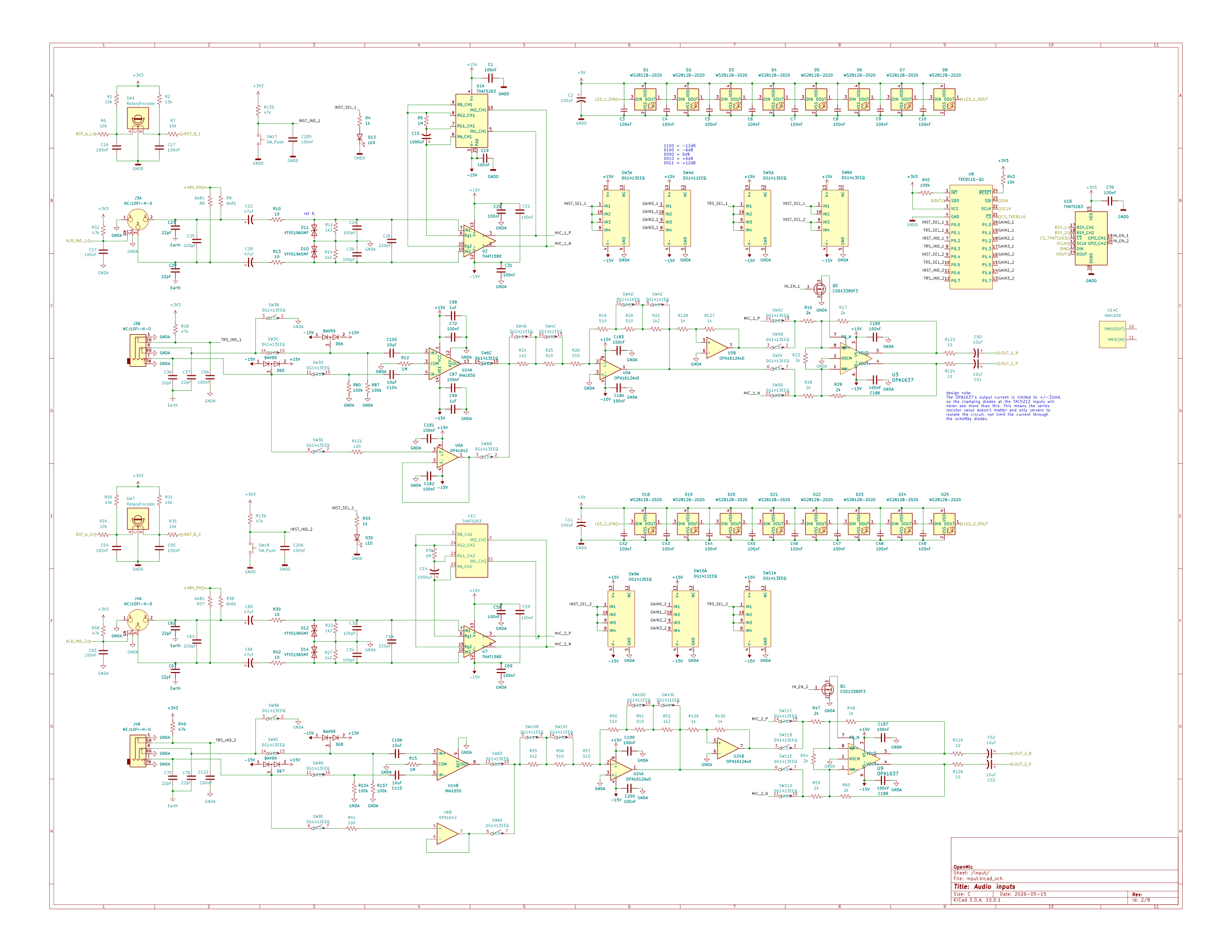
OpenMic will have 2 inputs. Each input will support microphone, line, and instrument level inputs, along with gain control for each input.
All three input types have different characteristics that need to be addressed, but that’s a conversation for a future build log. For now, we’ve defined the types of inputs we want to support and will leave it at that.
To support these inputs, OpenMic will use a combo XLR/TRS jack (XLR for microphone, 1/4” TRS for line/instrument). I’ll get into what those are and why we want them once we get to designing the input circuits.
Outputs
OpenMic will have 2 outputs: 1/4” TRS for stereo headphones, and two 1/4” TRS jacks for balanced stereo line outputs. Each output will have its own volume control.
Phantom Power
Without getting into microphones too much, there are 3 main types of microphones. Dynamic microphones, like the SM58, use air pressure to move a magnet in a coil, which generates a small voltage across the coil. Ribbon microphones work similarly, except that the “coil” is a thin strip of metal, the “ribbon”, suspended in a magnetic field. Instead of sound vibrating the magnet, sound vibrates the ribbon to generate a voltage.
Condenser microphones use a capacitor, where one side of the capacitor vibrates with the sound waves, which changes the capacitance. This changing capacitance produces the voltage signal. But in order for this whole system to work properly, the capacitor needs a base voltage applied to the positive side in order to build up the charge that it needs to produce the audio signal. This voltage is 12V, 24V, or most commonly 48V, and is called “phantom power”.
All of this to say, dynamic and condenser mics are both very common, so supporting phantom power, specifically 48V, is a must for OpenMic. Instruments and line inputs don’t generally need phantom power, so we only need to worry about phantom power for the microphone inputs.
Typically, there isn’t any harm in applying phantom power to a dynamic mic, but sometimes ribbon mics are more sensitive. Ribbon mics are, however, far less common than dynamic and condenser mics, and often require external equipment anyway due to how quiet they are, so we will be ignoring the needs of ribbon mics for the most part. Because it doesn’t really matter if a dynamic mic has phantom power, OpenMic will have one switch that turns on phantom power for both inputs at once. This is a common design pattern in audio equipment.
Direct Monitoring
Often, the recording engineer, musician, or podcaster will want to hear the audio being recorded directly. Most recording softwares allow you to do this on your computer, to set the output to include the input signals. But sending the input signal from the audio interface to your computer and back to the audio interface introduces latency, sometimes in the 10s of milliseconds. Typically, anything over 10ms of latency will be noticeable and is undesirable for recording. To solve this, many audio interfaces implement direct monitoring, which routes the input signals directly to the outputs, eliminating the round trip through the computer and providing near instant sound.
OpenMic will implement a direct monitor switch. Some interfaces, like the Audiobox, have a knob to blend between input and output monitoring, but a switch is simpler, cheaper, and just as practical in a real world application. I have an Audiobox myself and find I spend most of the time entirely on one end of the spectrum.
Level metering
If your input signal is too low after gain control, you either won’t be able to hear it well or you’ll have to boost the volume in software, which also boosts the volume of noise. Audio interfaces also have an upper gain limit. Anything louder than this limit gets clipped and can be heard as distortion, like a guitar on overdrive. To set the gain properly, you need to know what level your input is. There are several ways to do this, one is by looking at the waveform in your recording software, but it’s useful to see the input level on the interface itself, right next to the gain knob. Some interfaces use a single light that only tells you when your signal is too high, but others provide more detail about when the signal is in the sweet spot of not too high, not too low. We’ll get into exactly how OpenMic will handle level indication in the next build log, but it’s important to have some indication at all.
USB-C
This is less of a feature, but we have to get the audio from OpenMic to a computer somehow. To make OpenMic modern and sleek, we’ll use a USB-C connector.
Audio quality
To compete in specs with most audio interfaces, it is important that OpenMic supports at least 24-bit, 48kHz audio. This is around the limit of human-perceptible quality in audio.
What won’t OpenMic do?
Like any project, scope is important. To keep cost, complexity, and development time down, we won’t include unnecessary extra features like tone control, auto gain setting, or MIDI. Maybe in a future version, but these features are not integral to the core functionality of an audio interface.
Who is this for?
The blog
For people seeking information about OpenMic, audio electronics, and other design topics in the audio world.
OpenMic
Audio electronics enthusiasts, musicians, podcasters, educators, and anyone interested in the functionality that OpenMic has to offer alongside its repairability and your right to own your own hardware and everything that comes with it.
What’s the plan?
I’ve given an overview of the features that OpenMic will have, and in the next build log we’ll put those features together and look at the architecture of the device.
Through the next few build logs we’ll design, simulate, prototype, test, redesign, prototype, probably prototype again, and repeat until each subsystem confidently works. Then, we’ll put them together, test, make modifications, and test again until we have a version 0.1 prototype and can begin the refinement towards a version 1.0 that is ready for release. The timeline on all this is “it will get done when it gets done”, but will become more clear as development progresses.
Hopes and dreams
Eventually, I’d like to do a Crowd Supply funded production run to help further development and reduce costs, and make OpenMic available for purchase as a complete product and as a kit for hobbyists. Beyond that, I’d love to expand the product line beyond a 2-in/2-out interface, and scratch my own itches in other areas of audio/music hardware. I strongly believe in the ability to own your entire stack, from your instruments to your effects to your interface to your computer and the software that runs on it, and OpenMic fills a wide gap in that path.
Note: Gain and volume are closely related terms, but slightly different concepts. I’ll generally use gain when talking about modifying the signal level of input signals, and volume when talking about the loudness of an output signal. ↩︎